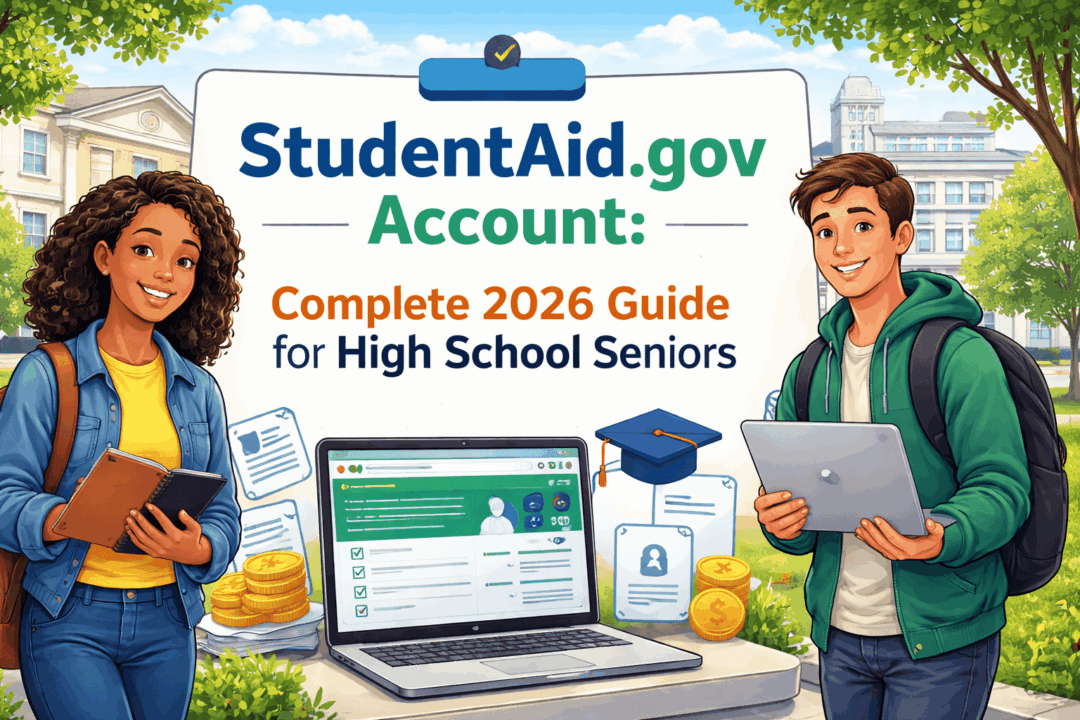
StudentAid.gov Account: Complete 2026 Guide for High School Seniors
If you plan to apply for college financial aid, your StudentAid.gov account is one of the most important accounts you will create in high school. It is the account you use to start, sign, submit, and track your FAFSA, and later it is the same account you use to review federal aid records, complete loan documents, and manage federal student loans after you leave school. Federal Student Aid says you can have only one StudentAid.gov account, it is tied to one person, and it serves as your legal electronic signature for federal student aid documents.
Federal Student Aid also notes that the username-and-password combination for this account is sometimes still called an FSA ID. In plain English, that means many students, counselors, and parents still say “FSA ID,” but the current student-facing language is StudentAid.gov account.
For the Class of 2026, this matters even more because FAFSA activity is running high. Federal Student Aid reported that as of December 2025, more than 17.2 million FAFSA forms had been submitted for 2025–26 and nearly 5.8 million had already been submitted for 2026–27, including a 78% increase in 2026–27 forms compared with the same point in the prior cycle. In other words, the StudentAid.gov account is not a side tool. It is the front door to the federal aid system during a very active filing cycle.
What is a StudentAid.gov account?
A StudentAid.gov account is your personal login for the U.S. Department of Education’s federal student aid system. Federal Student Aid says the account gives you access to StudentAid.gov, verifies your identity, and functions as your legal signature for federal aid documents. Because of that, the account is meant for you only. You should not let a parent, spouse, counselor, school employee, consultant, or scholarship company create or use the account for you.
That rule is especially important for dependent students and families. The Department states that every FAFSA contributor must have their own account. If you are a dependent student, you need your own StudentAid.gov account, and at least one required parent contributor may need a separate account too. If a spouse must contribute, that spouse also needs a separate account. No one is supposed to share credentials.
Why this account matters so much
Your StudentAid.gov account is not just for opening the FAFSA once and forgetting about it. Federal Student Aid uses the same account across multiple stages of the aid process. You use it to complete the FAFSA online, sign the form, check your status on your Dashboard, review your FAFSA Submission Summary, and later access federal loan tools and repayment resources. Federal Student Aid explicitly says you do not create a new account after graduation or when repayment begins; you keep using the same one.
That long-term role matters because federal aid is large in scale. In its FY 2024 annual report, Federal Student Aid said it expected to deliver $135 billion in new federal student aid, including more than $39 billion in Pell Grants and $93 billion in student loans, helping more than 9 million students pursue postsecondary education. A StudentAid.gov account is how students enter and later monitor access to that system.
Who needs a StudentAid.gov account?
For most high school seniors, the answer is simple: you do. If you want to complete the FAFSA online, you need your own StudentAid.gov account. If you are a dependent student, one or more parent contributors may also need separate accounts. If you are an independent student who is married and your spouse must contribute information, your spouse may need a separate account as well. Federal Student Aid provides a “Who’s My FAFSA Parent?” tool because parent rules can get complicated in divorced, separated, remarried, or blended-family situations.
A key point for families: the Department says the student always needs their own account, and parents cannot legally create or share the student’s account. The account is the student’s electronic signature, just as a parent’s account is the parent’s signature.
What you need before you create the account
Federal Student Aid says students with a Social Security number should be ready to enter their full legal name, date of birth, and SSN exactly as those appear in official records. Your name needs to match your Social Security record. You also need an email address that belongs only to you and will still be accessible in the future. The Department specifically recommends not relying on a school or work email you may lose later. You can also add a mobile phone number, which is optional but recommended because it can help with account recovery.
One of the most overlooked rules is that your email address and phone number can be tied to only one StudentAid.gov account. That means you cannot recycle the same contact information across multiple contributors in a family. A parent needs their own contact information, and a student needs their own.
How to create a StudentAid.gov account
Federal Student Aid’s current process is straightforward, but accuracy matters. The official sequence is:
-
Enter your personal information, including your legal name, date of birth, and SSN if you have one.
-
Add and verify your email address.
-
Add and verify your mobile phone number if you choose to include one.
-
Enter your mailing address and communication preferences.
-
Create your username and password.
-
Set up additional verification methods and save your backup code.
Federal Student Aid also says you should avoid using obvious personal identifiers in your password, and you should keep your username and password private. Once the account is created, you can immediately complete and sign your FAFSA sections. If your identity is verified right away, the account has full functionality immediately; if verification is delayed, some functions may be limited until verification finishes.
Two-step verification is now a core part of logging in
Federal Student Aid requires users to set up at least one two-step verification method to log in. The official options include SMS text, email, and an authenticator app. Federal Student Aid also provides a backup code, and that code should be saved somewhere secure offline, not just left buried in screenshots you may lose.
This matters because account access problems often happen at the worst possible moment, such as the night before a state aid deadline. If you lose access to your email, switch phone numbers, or forget your backup code, recovery can take extra steps. Federal Student Aid’s help guidance says that if you forget your backup code and cannot use your other methods, you may need to recover the account using photo ID.
What if your identity verification says “Pending”?
Federal Student Aid says Social Security Administration verification usually happens right away for users with SSNs, but sometimes a new account can show Pending if the system is unavailable. The Department says that status usually resolves in one to three days. During that period, you may still be able to submit a FAFSA, but access to some other applications can be limited until the verification is completed.
For students and families, the practical lesson is simple: do not wait until the deadline day to create your account. Create it early, confirm your contact methods, and log in once before you actually need it. That reduces the risk that a small verification delay becomes a missed state or college aid deadline. Federal Student Aid repeatedly recommends getting accounts ready before starting the form.
What if a parent or spouse does not have an SSN?
This is one of the biggest FAFSA changes families still misunderstand. Federal Student Aid says that parent and spouse contributors without an SSN can still create a StudentAid.gov account and complete their required FAFSA sections online. That is a major point because many families still wrongly assume that no SSN means no account access.
Federal Student Aid explains that contributors without an SSN can create the account by selecting the option indicating they do not have a Social Security number, then following the rest of the account-creation steps. They may be asked identity-verification questions. If further validation is needed, Federal Student Aid uses an Attestation and Validation of Identity process, which requires the user to contact the Federal Student Aid Information Center first and then submit documentation according to official instructions. The Department’s identity-validation form says confirmation typically follows within one to three business days after the required documentation is processed.
There is one major exception: undocumented students generally are not eligible for federal student aid, but Federal Student Aid says a student’s parent or spouse still does not need an SSN to create a StudentAid.gov account and complete their section if the FAFSA workflow requires it.
How the account fits into the 2026–27 FAFSA process
For the 2026–27 FAFSA, the federal form became available no earlier than October 1, 2025, and the federal deadline is June 30, 2027. State and college deadlines can be much earlier, and many state programs are first-come, first-served or priority-based. That is why Federal Student Aid consistently tells families to submit as early as possible rather than waiting for the federal cutoff.
In the current FAFSA workflow, students are encouraged to start their own FAFSA first. After the student logs in, they can invite contributors by email. The system then sends the contributor an invitation, and the student can also share an invite link or code. Each contributor must log in with their own StudentAid.gov account, complete their own section, provide consent and approval where required, and sign. The FAFSA cannot be fully submitted until all required contributors complete their parts.
What you can see after you submit the FAFSA
After a completed online FAFSA is submitted, Federal Student Aid says processing usually takes one to three business days. Once the form is processed, the student can log in to the StudentAid.gov Dashboard and view the FAFSA Submission Summary. That summary includes an eligibility overview, your FAFSA answers, school information, and next steps. Federal Student Aid also notes that only the student can access the FAFSA Submission Summary, not the contributors.
This distinction matters because many families assume a parent contributor can see everything after helping with the form. The federal system does not work that way. Contributors can complete only the sections assigned to them, while the student remains the main owner of the full FAFSA record.
Common mistakes students make
The most common StudentAid.gov account mistakes are not technical; they are workflow mistakes.
First, using the wrong name format. Federal Student Aid says the name should match the Social Security record exactly. Nicknames, missing hyphens, and mismatched surname formats can create verification issues.
Second, sharing an email or phone number across family accounts. Federal Student Aid says an email address and phone number can each be associated with only one StudentAid.gov account.
Third, letting a parent create the student’s account. Federal Student Aid is explicit that the account functions as a legal electronic signature and should not be created or used by anyone other than the account owner.
Fourth, waiting until the last minute. SSA verification can occasionally show pending for one to three days, contributors may need time to create their own accounts, and identity-verification issues for users without SSNs can take additional steps.
Troubleshooting: what to do if you cannot log in
Federal Student Aid provides official recovery tools for forgotten usernames, forgotten passwords, and account recovery. The Department’s help pages say you can retrieve your username or reset your password through the official account-recovery flow, and if your account information was lost or stolen, you should reset your credentials and contact Federal Student Aid for more help if needed.
If you receive an unknown error message, Federal Student Aid advises closing browser windows and trying again, either immediately or later. If problems continue, the Department says to contact the Federal Student Aid Information Center at 1-800-433-3243.
Security and scam prevention
Because a StudentAid.gov account acts as your legal signature and connects to your federal aid record, it should be treated like a banking login. Federal Student Aid says not to share it with family members, school staff, loan companies, or outside “FAFSA helpers.” Real federal help is available directly from official federal sources, and you should be careful with companies claiming they can “unlock,” “fix,” or “expedite” your aid account for a fee. The Department also warns borrowers to watch for scams and emphasizes that federal aid tools and assistance are available through official channels.
A good student rule is this: if a site, consultant, or social media message asks for your StudentAid.gov username, password, secure code, or backup code, stop immediately. That information should stay with the account owner only.
Why high school seniors should create the account early
From a college-planning perspective, creating the account early is not just convenient. It is a risk-reduction strategy. The federal deadline for the 2026–27 FAFSA is June 30, 2027, but most meaningful aid competition happens far earlier at the state and college level. When accounts are already created and verified, families can focus on the actual FAFSA and deadlines rather than on troubleshooting logins.
For seniors comparing colleges, early account readiness also helps you move faster once forms are filed. The FAFSA Submission Summary generally appears within one to three business days after a completed online FAFSA is processed, and that summary is one of the first checkpoints before aid offers arrive from colleges.
Bottom line
A StudentAid.gov account is the single most important federal aid login a high school senior will use. It is your identity credential, your FAFSA signature, your status-tracking portal, and later your federal loan-management account. Create it early, keep the contact information unique to you, save your backup code, never share your credentials, and make sure every required contributor has their own separate account before FAFSA deadlines approach.
Quick FAQ
Is a StudentAid.gov account the same as an FSA ID?
Yes. Federal Student Aid says the username-and-password combination for your StudentAid.gov account is sometimes called your FSA ID.
Do I need a StudentAid.gov account every year?
You use the same account each year. Federal Student Aid says you do not create a new one after high school, college, or when repayment starts.
Can my parent use my account to sign my FAFSA?
No. Federal Student Aid says the account is your legal electronic signature and should not be shared. Parent contributors need their own accounts.
Can a parent without an SSN still create an account?
Yes. Federal Student Aid says required parent and spouse contributors without an SSN can still create a StudentAid.gov account to complete and sign FAFSA sections online.
How long does FAFSA processing usually take after submission?
Federal Student Aid says a completed online FAFSA is usually processed in one to three business days.
Where do I get official help?
Federal Student Aid says you can contact the Federal Student Aid Information Center at 1-800-433-3243 for StudentAid.gov help and account-access issues.
Official sources and legit pages
Use only official federal pages for account setup and aid tasks:
-
Create a StudentAid.gov account and review official account setup guidance.
-
Read the FAFSA student checklist for contributor and account rules.
-
Read the official student FAFSA step-by-step guide for invites, signatures, and form flow.
-
Read the official parent FAFSA guide if your family is helping complete contributor sections.
-
Check FAFSA deadlines and file early for state and school aid.
-
Use official Federal Student Aid help for recovery and support.
Sources
Federal Student Aid, “Key Facts About Your StudentAid.gov Account.”
Federal Student Aid, “FAFSA Checklist: What Students Need.”
Federal Student Aid, “Steps for Students Filling Out the FAFSA Form.”
Federal Student Aid, “Completing the FAFSA Form: Steps for Parents.”
Federal Student Aid, help-center guidance on two-step verification and account recovery.
Federal Student Aid, “FAFSA Submission Summary: What You Need To Know” and “7 Things To Do After Submitting Your FAFSA Form.”
Federal Student Aid, 2026–27 FAFSA form and deadline guidance.
FSA Partner Connect, March 13, 2026 data-center update on FAFSA submission volumes.
Federal Student Aid FY 2024 Annual Report.
Federal Student Aid identity-validation instructions for users without SSNs.